Student User Bridge reads enrolments, class lists and leavers from your Student Management System and syncs them straight to your school's own Google Workspace, Microsoft 365 and Apple School Manager, every day.
SUB connects securely to your Student Management System by API or a scheduled export, and syncs straight to your own cloud environment.
Applies your school's rules for naming, groups and leavers, then makes only the changes that are needed.
Set up once around your school's rules and naming conventions. Then SUB takes care of the daily admin.
Accounts are created for new students automatically, using your school's naming conventions.
When a student's details or year level change in your Student Management System, their accounts follow.
Class groups, year-level groups and custom Organisational Units stay up to date as timetables change.
Accounts for students who leave are suspended and archived according to your school's policy, closing the security gap.
Start-of-year and end-of-year changes are planned ahead with you, so the new year starts without a scramble.
A short email after every sync confirms what changed, and flags anything that needs a quick fix in plain English.
Most days it simply confirms everything worked. When something needs a look, it tells you who is affected and what to do.
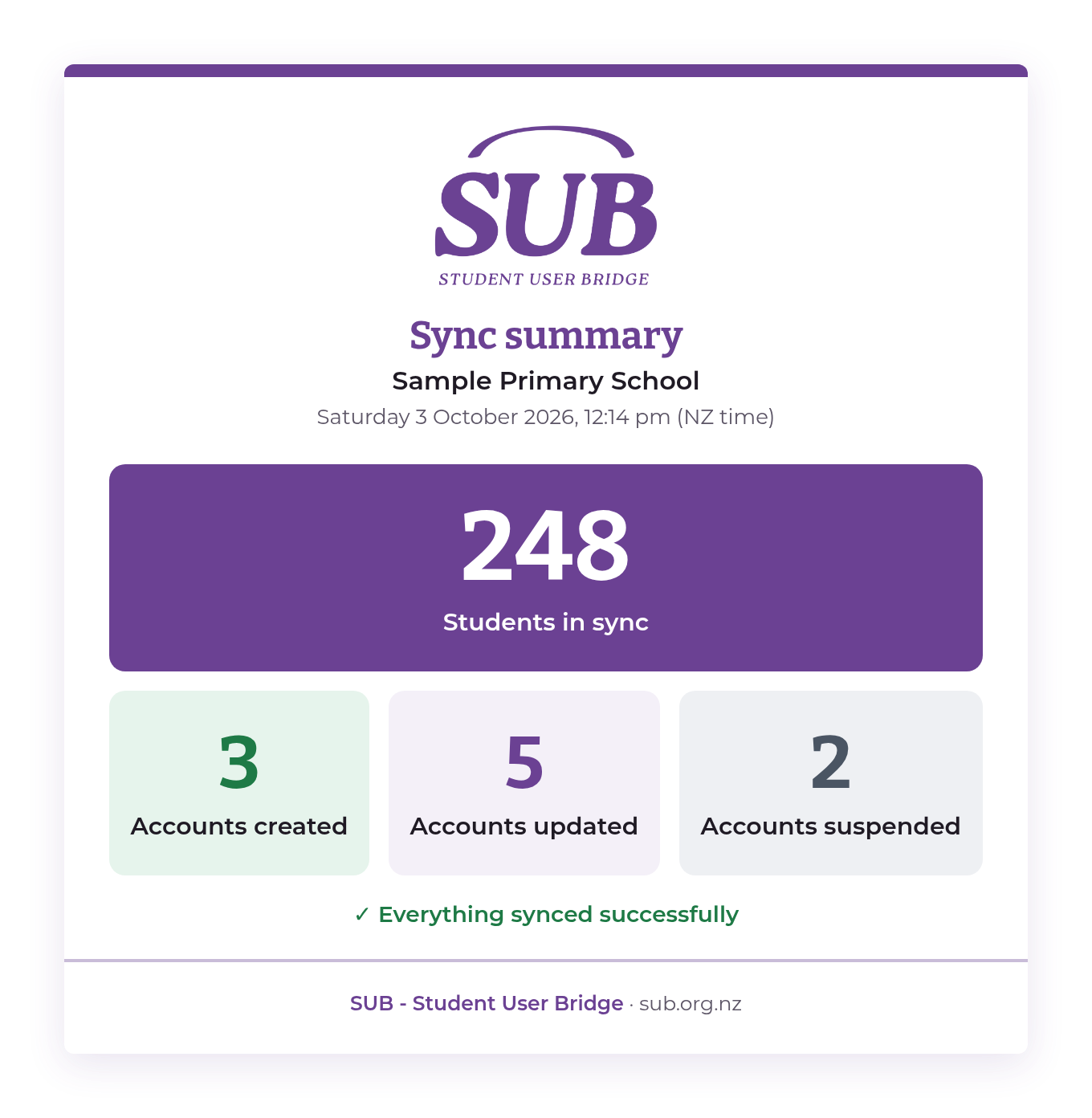
Everything synced. You can see at a glance how many accounts were created, updated and suspended.
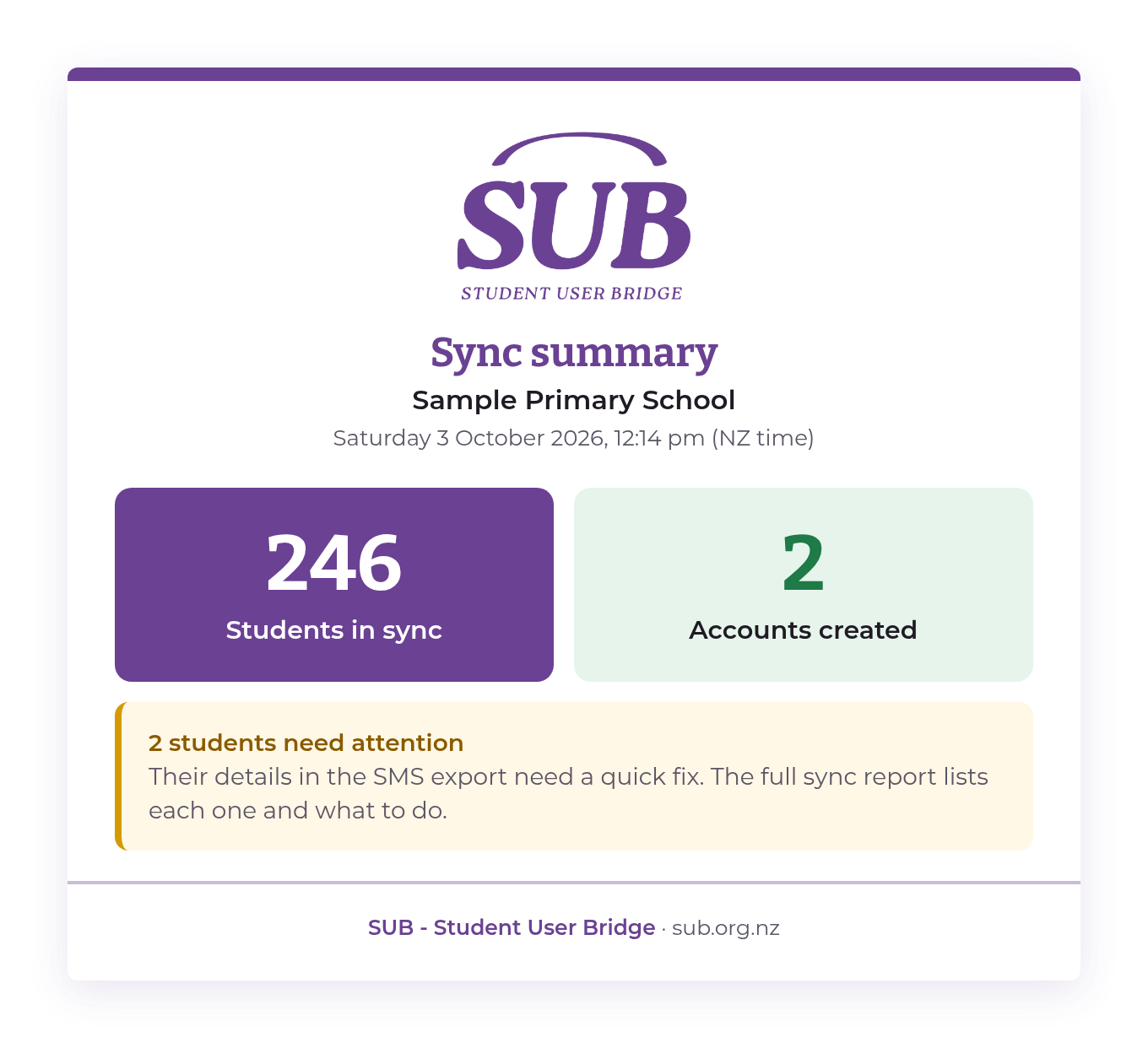
SUB names the students affected and explains the quick fix, usually a detail to correct in the Student Management System.
Whether you run the network, lead the school or look after the budget, SUB takes the friction out of student accounts.

Say goodbye to start-of-term account tickets and manual CSV imports. Provisioning, group memberships and leaver cleanups happen behind the scenes.

Give staff back hours at the busiest times of year. Every new student is ready to learn from day one, and leavers' access is closed promptly.

Swap unpredictable IT support hours and manual admin time for one flat monthly rate, with no per-student fees.
SUB is designed around your school's privacy and data sovereignty obligations from the ground up.
SUB processes your data in memory and writes it straight back to your school's own cloud. We don't store it or keep a database of your students.
Naming, groups and leaver handling are agreed with you and follow your school's policies, not a one-size-fits-all default.
Former students don't keep access to school accounts and files, closing one of the most common security gaps in schools.
You deal directly with the New Zealand team who built SUB, not an offshore call centre. We reply within one business day.
The things school leaders and IT leads ask us most before getting started.
As long or as short as you need. We fit setup around your school's timeframes, whether that's before Term 1 or partway through the year.
KAMAR, Hero, Edge and eTAP, plus others. If your school uses something different, ask us and we'll talk it through.
Google Workspace, Microsoft 365 and Apple School Manager, and more. Tell us what your school uses and we'll confirm the fit on our first call.
In your school's own cloud tenant. SUB processes your data in memory and syncs it straight into your tenant. We don't store or keep a copy of your student data.
Everyday changes flow through automatically, and your subscription covers the routine tweaks that come up through the year. Planning something major, like a full restructure? We'll talk it through and quote it upfront, so there are never any surprise bills.
No. We set SUB up and look after it. Your team just reads the daily summary email, and we're on hand if anything needs attention.